Mounting your own ISO file for installation of the operating system
After purchasing a virtual server, if you haven't found the desired operating system, you can upload your own ISO file to us and install the operating system from it.
Logging into Hosting Service Administration
Log in to the hosting service administration at admin.hukot.net.
Go to the Virtual Datacenter tab.
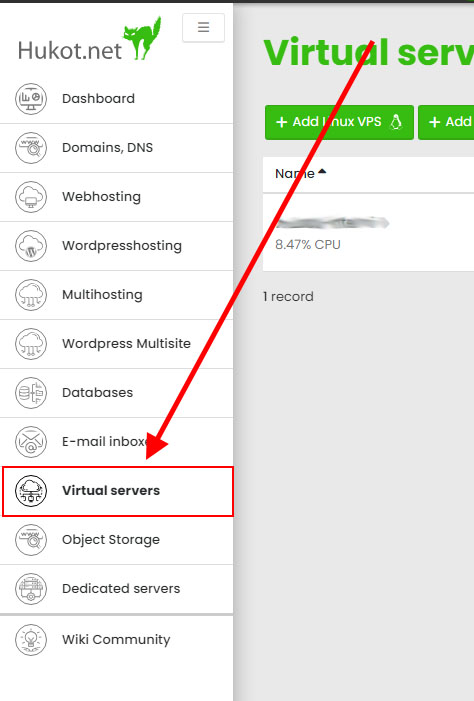
Click the Upload Custom ISO button.
Select an ISO file with the desired operating system and click the upload button.
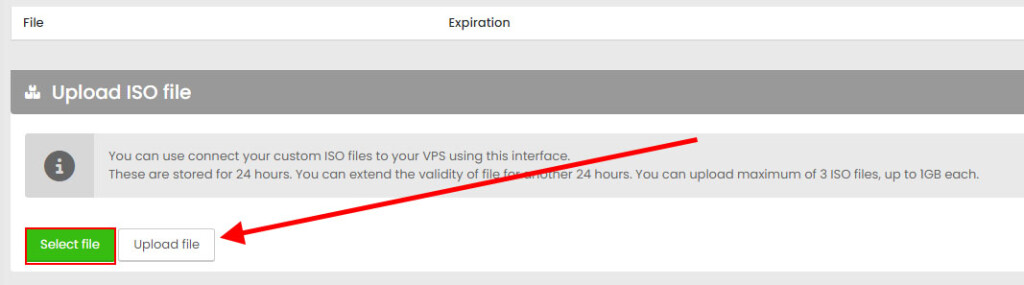
This step may take time, depending on your upload speed.
You can measure your upload and download speed here.
Once the ISO file is uploaded, go to the details of the VPS for which you want to mount the ISO file.
Use the Select operating system button to select the uploaded ISO file and click on attach.
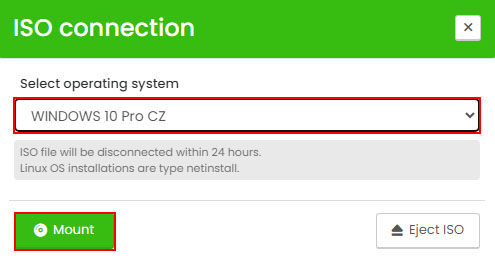
You can then proceed with the installation of the operating system.
Done.
David Drahonsky
21.12.2025 02:14:06
nefunguje