How to activate your Windows 10 and Windows server 2022 license
Have you purchased a Windows 10, Windows Server 22 Standard OS License from Hukot.net ? Let's take a look at how to activate them.
1) Activating Windows 10
Right click on Start and then click on Settings.

Go to the Updates and Security section.

Go to the Activation tab.

Click Update Product Key | Change Product Key.

Enter your Windows 10 key and click Next.

2) Aktivace operačního systému Windows 11
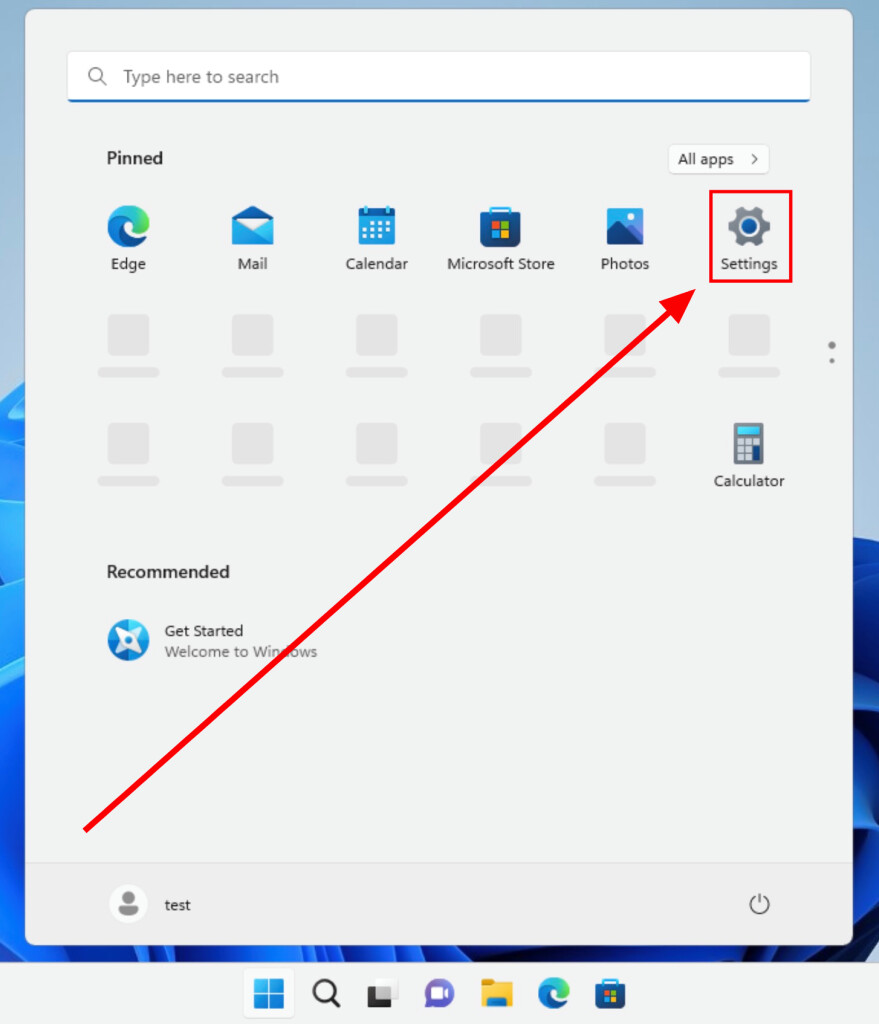
Click Start, then click Settings.
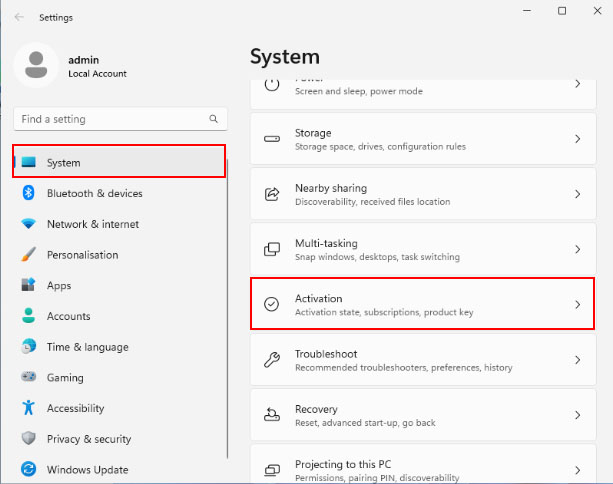
Go to System > Activation.
Click "Change."

Enter the windows key and click "Next."

3) Activating Windows Server 2022
After installing the trial version (Evaluate), you need to upgrade to the Standard version.DI
To upgrade, use the DISM /Online /Set-Edition:serverStandard /ProductKey:XXXXX-XXXXX-XXXXX-XXXXX-XXXXX /AcceptEula command at the command prompt.
To upgrade, use the DISM /Online /Set-Edition:serverStandard /ProductKey:XXXXX-XXXXX-XXXXX-XXXXX /AcceptEula command at the command prompt where you replace the X with the purchased key. You must run the command line as an administrator.

After activation, the computer will prompt you to restart, type Y to restart.

Tip:
If you are unable to activate Windows Server 2022, you can try the following:
- Make sure you have the correct product key.
- Make sure your computer is connected to the Internet.
- Try restarting your computer.
- If you are still unable to activate Windows Server 2022, contact your license vendor support.