
Log in to the hosting services administration at admin.hukot.net and go to editing Domains, DNS. Below you can also see an example of how the individual DNS records should be entered.
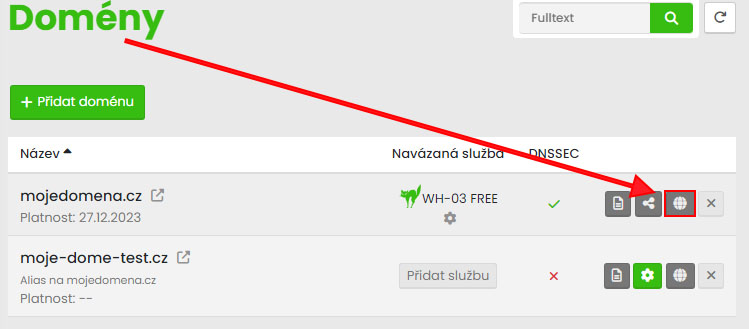
Click Edit DNS
Box view
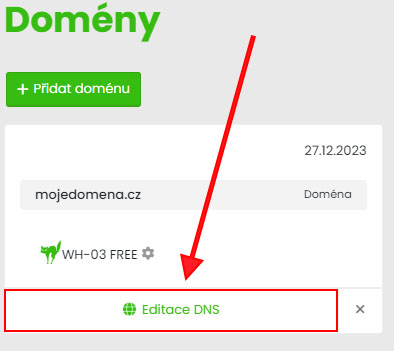
Table view
How to add a DNS record? #
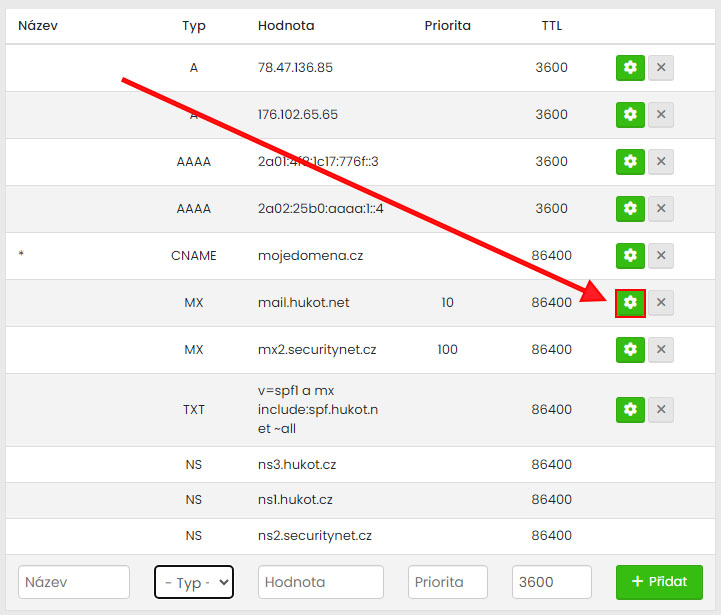
Enter the name, type, value (IP address or domain), priority (lower means higher) and TTL (cache refresh interval). Click Add.

How to edit an added DNS record? #
Click Edit DNS.
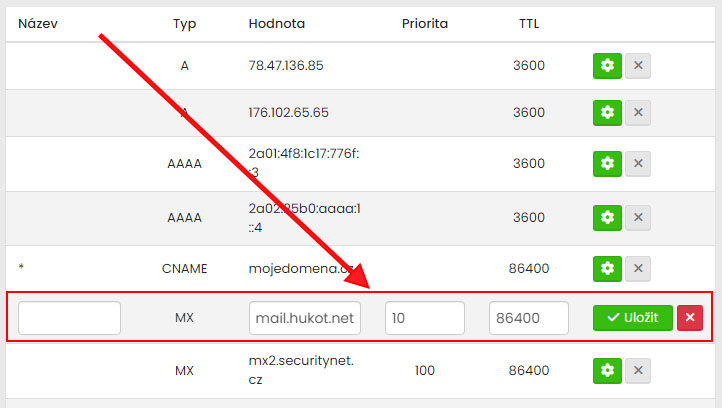
The field switches to edit mode. Change the values and click Save.
To delete a record, click the red X button.
DNS record types:
| Type | Description | TTL | Priority | Example value |
|---|---|---|---|---|
| A | Points a domain to a specific IP address (IPv4). | 1800 | 78.47.136.85 |
|
| AAAA | Points a domain to a specific IP address (IPv6). | 1800 | 2a02:25b0:aaaa:1::4 |
|
| CAA | Specifies which certificate authority (CA) may issue an SSL certificate for the domain. | 1800 | 0 | issue "letsencrypt.org" |
| CNAME | Points one domain to another. When the aliased domain is accessed, the domain name is resolved to the IP address of the target server. It is often used so that www.hukot.net shows the same content as hukot.net. | 1800 | hukot.net |
|
| TXT | Can hold any text string. | 1800 | v=spf1 a mx include:spf.hukot.net ~all |
|
| SRV | Specifies the services available on the domain. It is used for various internet protocols, including XMPP (messaging), SIP (telephony) and LDAP (access to data on a directory server), and by application and game servers. It sets the routing parameters for the target host and port. | 1800 | 10 | 20 5060 other.domain.com |
| MX | Directs mail sent to the domain to the mail servers that process it. | 1800 | 10 | mail.hukot.net |
| PTR | Mainly used as "reverse records" - to map IP addresses to domain names (the reverse of A and AAAA records). | 1800 | ||
| ALIAS | Points to one or more A records at resolution time. Resolvers see your domain as if it had an A record. | 1800 | 50 | subdomain.yourdomain.com |