Transfer files with NFS on Windows 10
One of the favourites methods of file transfer is NFS or Network File System.
NFS is a file system protocol that allows access to data over a computer network and is still widely used today. In the following guide below we will show how to enable NFS for Windows.
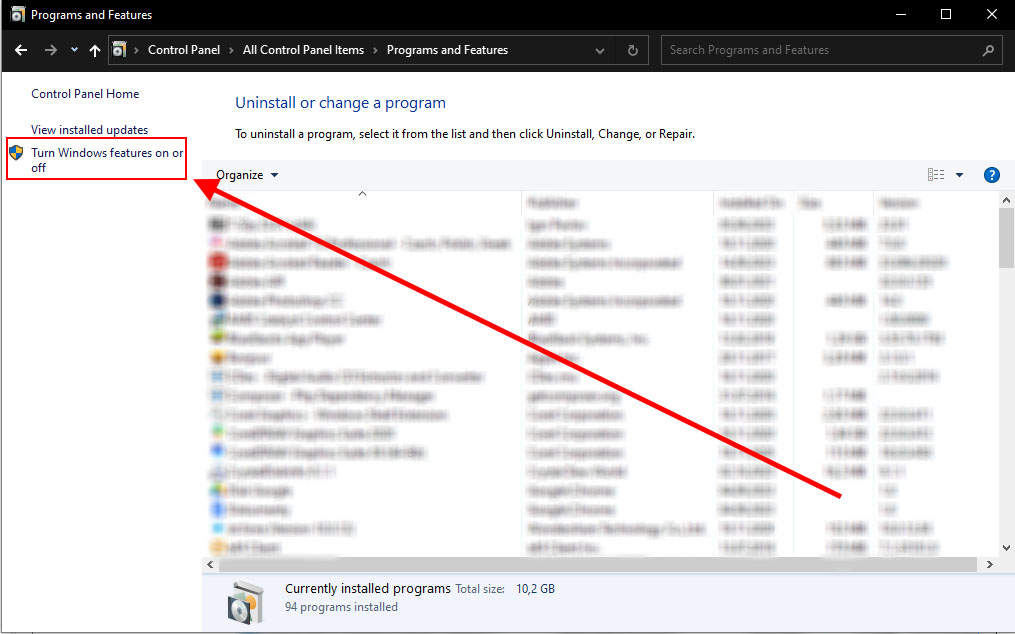
From control panel, find programs and features

In the sidepanel select Turn Windows features on or off.
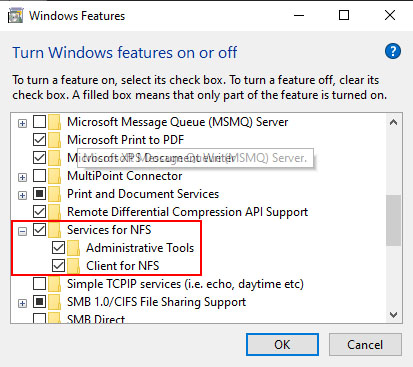
Inside window check all options Services for NFS. and click OK.
Now with command mount we can connect disk.
mount [-o options] [-u:username] [-p:] <\\computername\sharename>
Example:
mount %ip address% N:
%ip address% - info about ip address you will get after order.