How to change/set FTP password.
To control out web, we need FTP access to the domain. What to do if we forget the FTP password? We can change it in the administration of hosting services admin.hukot.net.
1. Log into administration
We will log into administration of hosting services using our login credentials.
.png)
2. Choosing our domain
Click on tab "Webhosting".
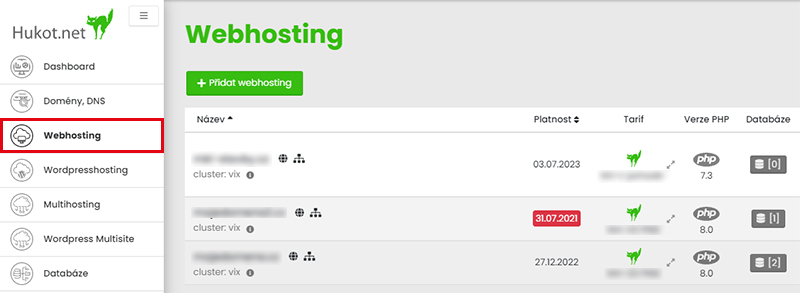
Choose your desired domain from the list of domains and click on button "Editation".
3. Setting up password
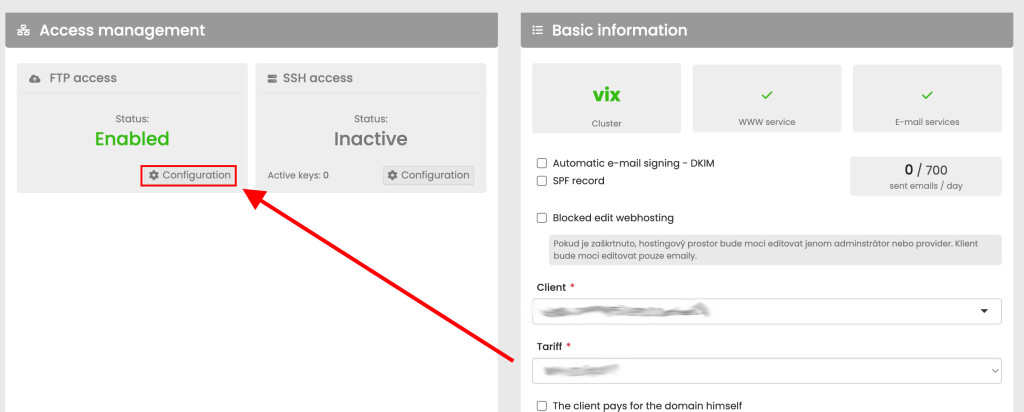
To change password click on configuration.
Click on change FTP password, type your password or generate it. After changing password, save changes by enabling FTP access.
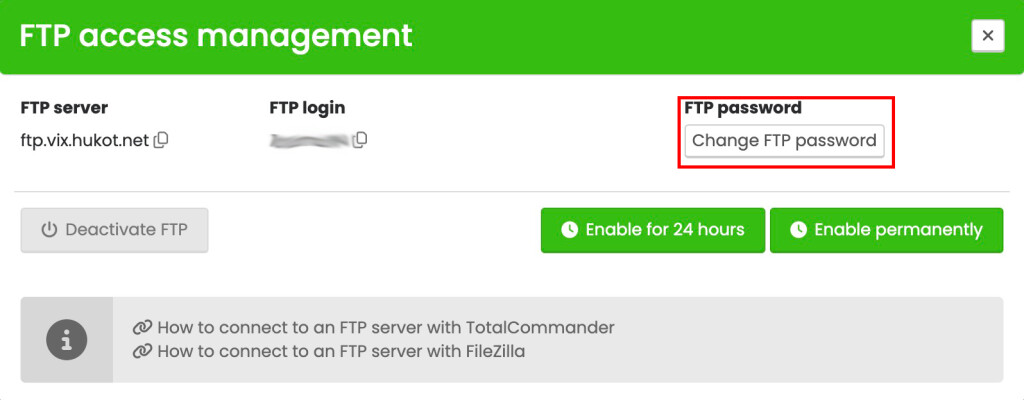
We will wait a maximum of 5 minutes for the changes to be made, then we can can log in to FTP with the new password.
We're done :)