How to change the DNS record for the domain
When transferring a domain or changing hosting, you need to modify the DNS record.
Log in to the hosting services administration at admin.hukot.net.
Go to the Domains tab.

Click on the Edit DNS button.
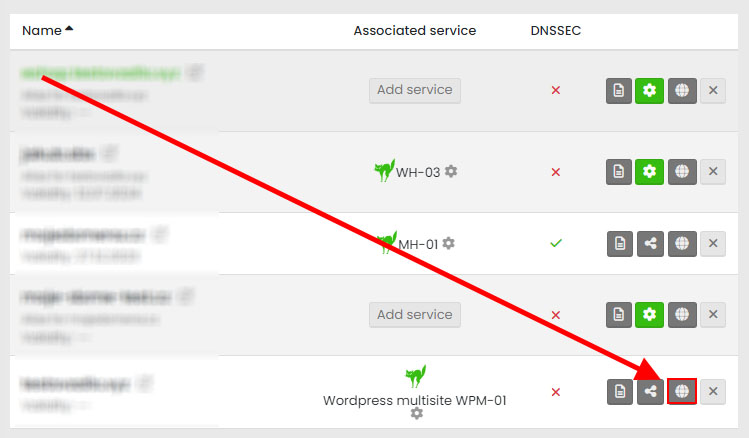
A table with DNS records will be displayed.

The first record is of type A. If you are changing hosting or moving the domain to a VPS, the A record is the most important one for us, and we need to change this record.
Click the Edit button.
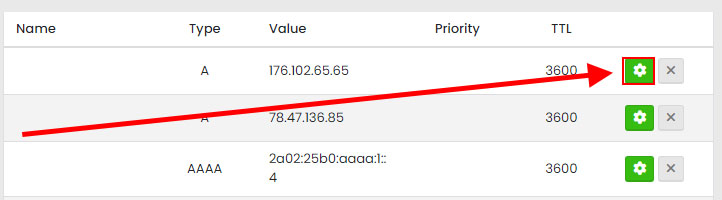
First, adjust the TTL (Time-to-Live) to a low value, approximately 3600 - 900 (1 hour - 15 minutes), and change the value to the new IP address.

Click the Save button.
Subsequently, you need to wait for the DNS record change to propagate to DNS servers worldwide.
Note: If you want immediate access to the domain, you can modify the hosts file. Instructions for doing so can be found here.
Done.