Change your email password - Hukot.net
You can change the password for an email mailbox hosted at Hukot.net in two ways.
The first method requires knowing the email address and password. If you have access to the hosting services administration, you can use method #2.
Method #1
Requirements: email address and password
Log in to the hosting services administration using your email address and password.
After logging in to the hosting services administration, you'll see various sections for configuring the email mailbox. We are interested in the first section for changing the password.
Enter a new password or have a random password generated.
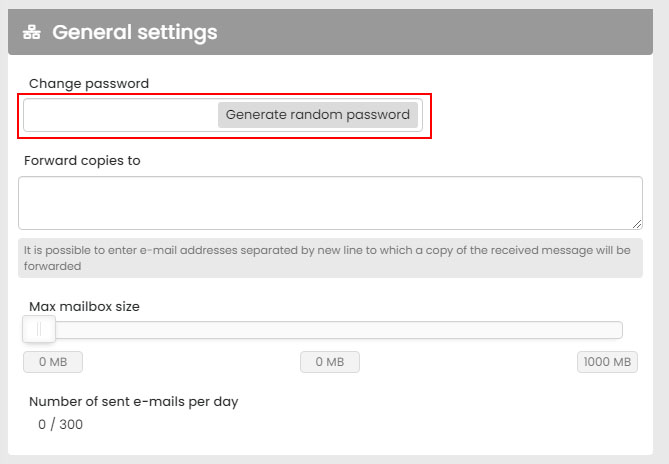
While you're in the email mailbox settings, you can also set up a blacklist. Save the password change using the save button.
Method #2
Requirements: access to the hosting services administration
Log in to the hosting services administration using your access credentials. After logging in, go to the Email Mailboxes tab. From the displayed email accounts, select the email account for which you want to change the password and click the edit button.
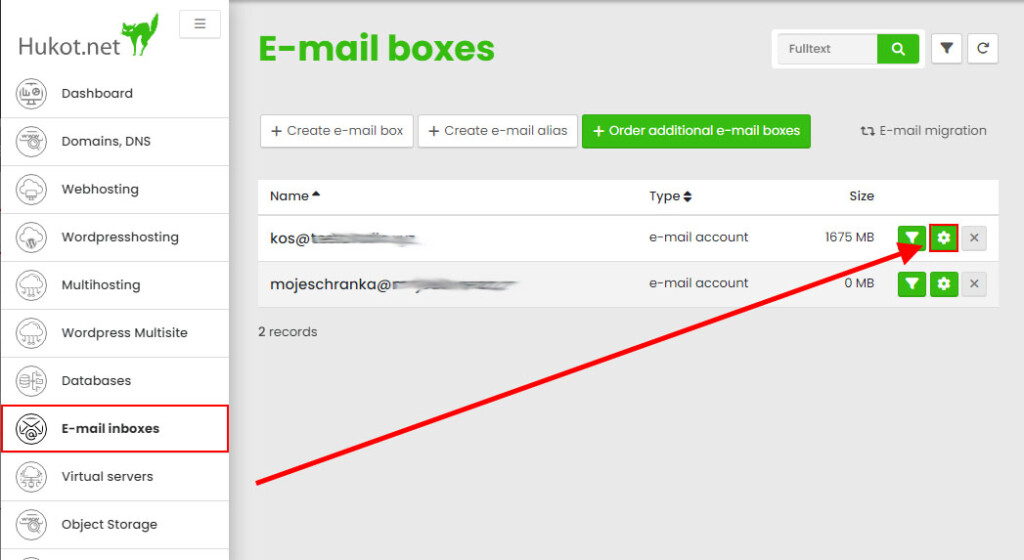
In the displayed form, enter a new password or have a random password generated.
Save the password change using the save button.