How to set up a mailbox in The Bat! - IMAP
To log in to The Bat! mail client, you first need to fill in your name, email and password.
Select the Protocol type option IMAP or POP.
Click Next.

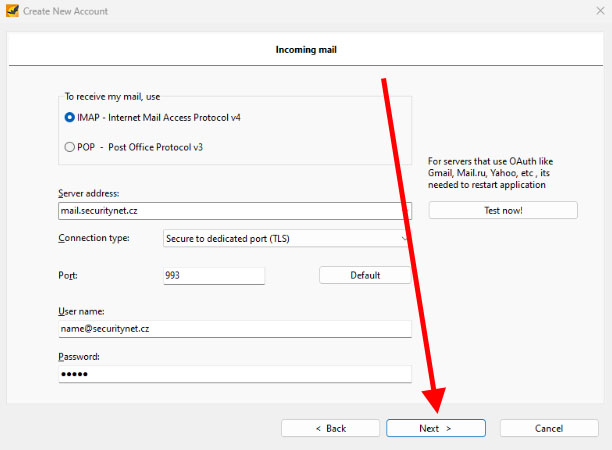
Leave the IMAP option.
Fill in the server address with mail.hukot.net.
Connection type we select the Secure to dedicated port (TLS) option.
Fill in the other login information as shown in the example.
Continue.
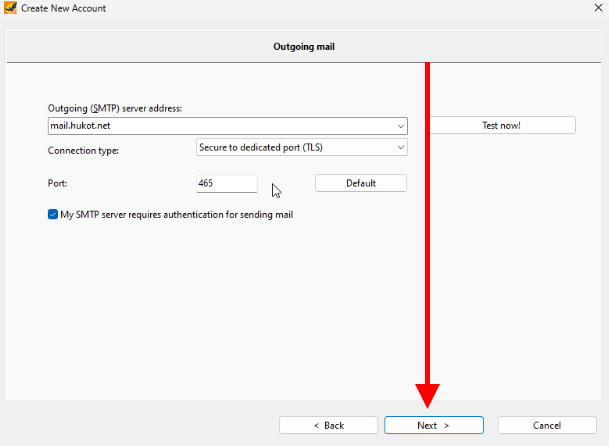
Enter mail.hukot.net in the server address field.
Check the option My SMTP server requires authentication for sending mail.
Click Next.
Done.