How to set up a mailbox in the Email client in Android OS - IMAP
Are you using a mobile device with Android and want to log in to your domain's email account in the Email app?
That's why we'll quickly show you how to do it.
1. Add an account
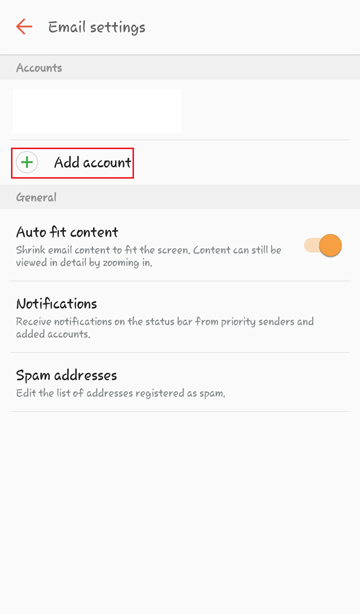
We'll go into the settings and give the option to Add Account.
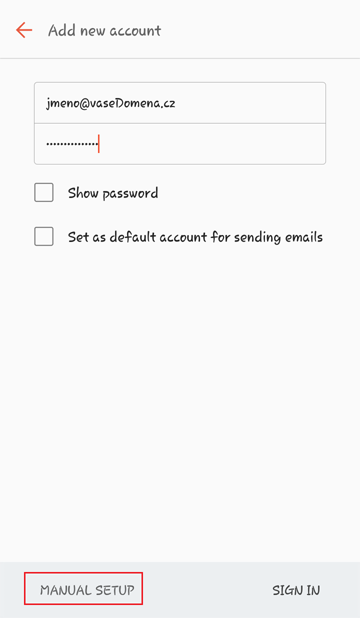
Fill in the details - Email is the full email address.
Select the Manual settings option.
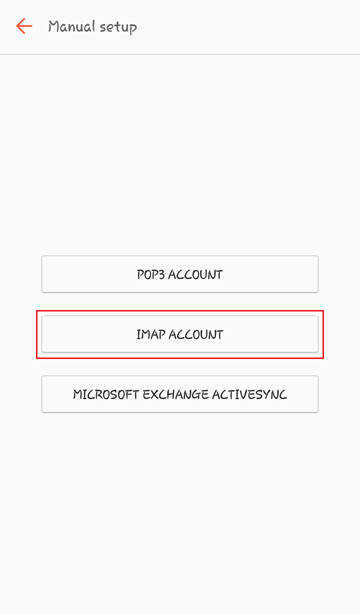
We'll choose the IMAP account type.
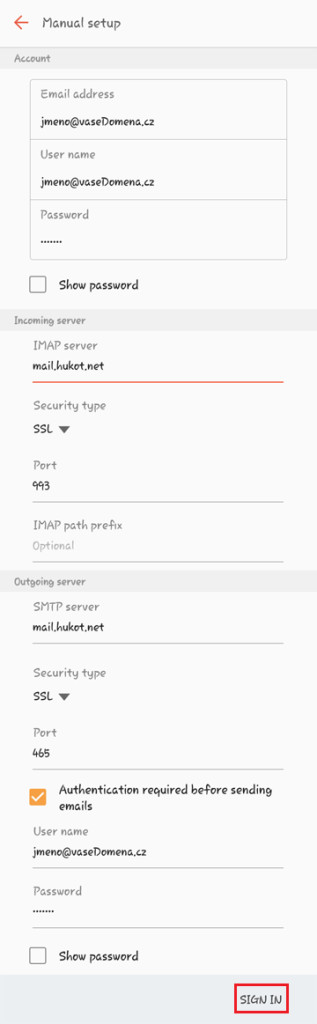
Fill in the other details.
The email address and username is the full email address.
We will fill in the incoming and outgoing server according to the template.
Server: mail.hukot.net
Security: SSL.
and login.
Done.