NFS - how to automatically connect NFS in Windows 10 Pro, Windows 11 Pro, Windows server 2022
Enabling FTP
a) Windows 10 Pro
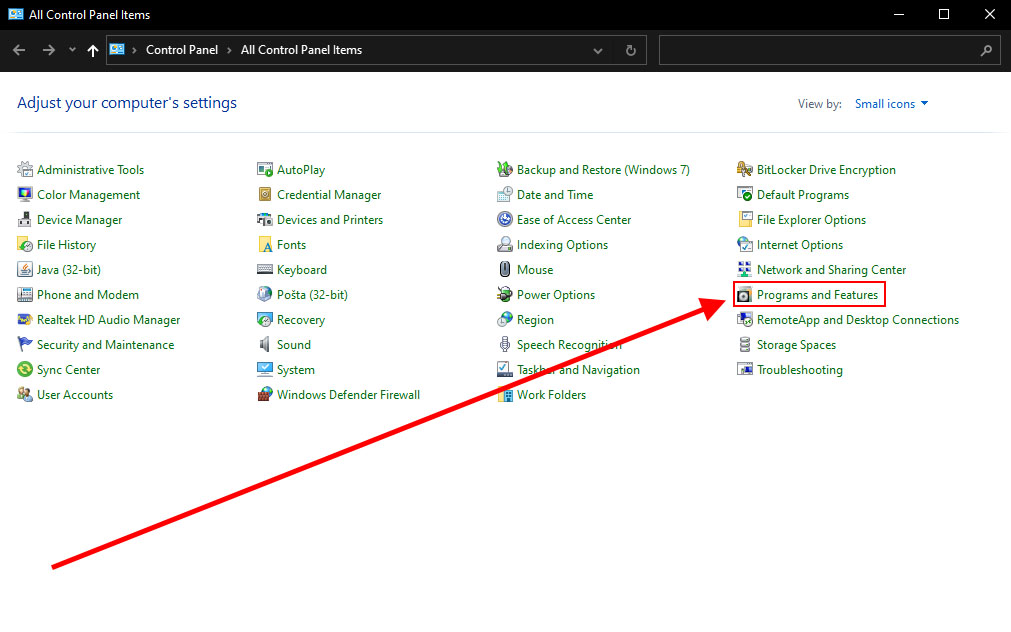
Open programs and functions via the control panel.
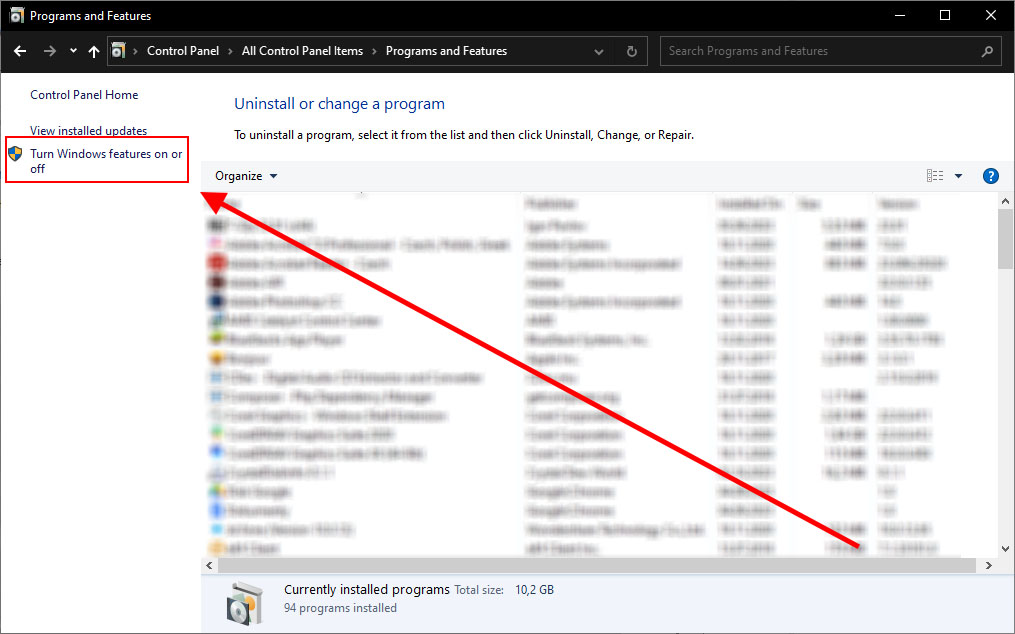
From the left menu, choose Turn Windows features on or off.
In the window that opens, check the Services option for NFS.

b) Windows 11 Pro
Open Turn Windows features on or off.


Check all NFS-related features and click Ok.

c) Windows sever 2022
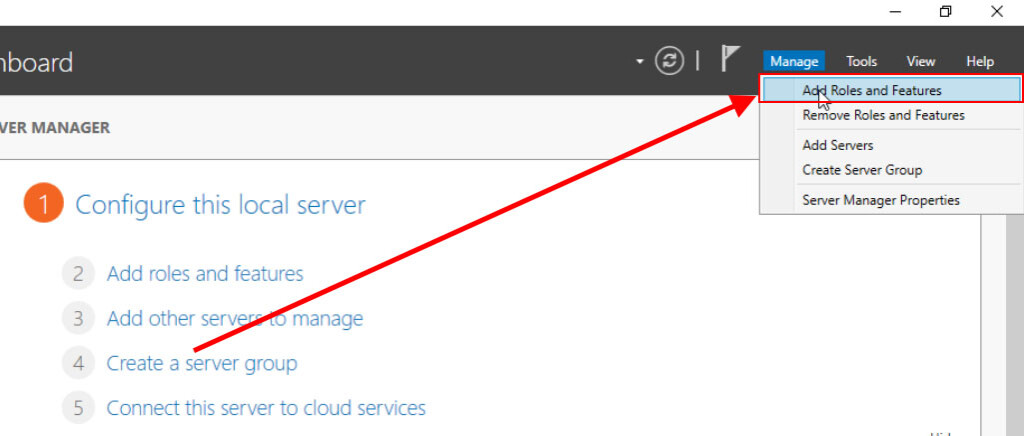
Open Server manager and click Manage > Add Roles and Features.
Click "Next" until you reach the step "Server Roles."
Here, select File and Storage Services > File and iSCSI Services > Server for NFS and click "Next."

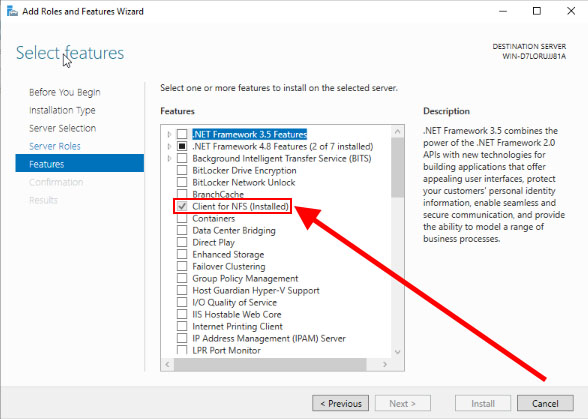
Under the "Features" tab, select Client for NFS and click "Next" followed by "Install."
Disk mount
Log in to the hosting services administration at admin.hukot.net and go to the object storage editing
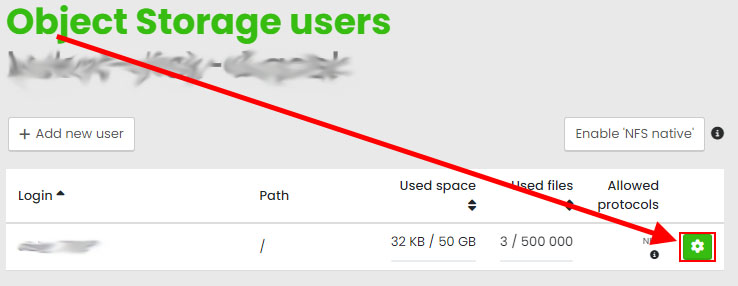
Go to the list of users.
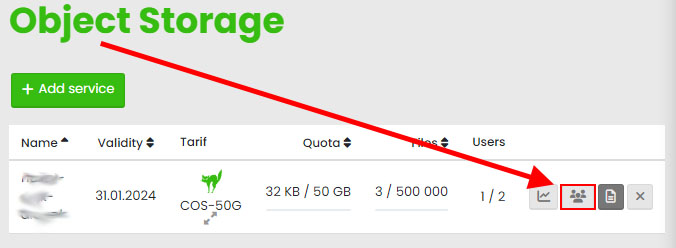
Click on the editation button.
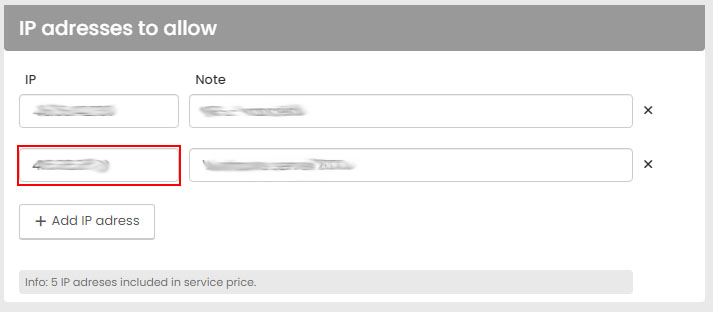
Add your IP address by clicking add additional address in the IP address to allow and click save.
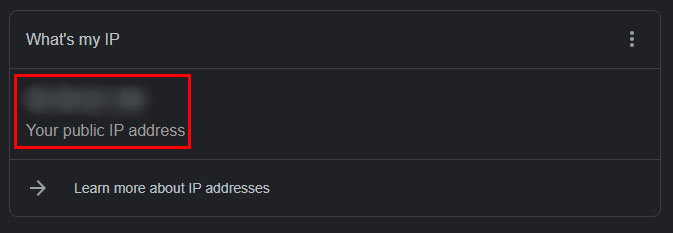
How do I find out my IP address? Type "What is my IP address" into google and copy your IP address.
Copy the NFS path field

Open the file explorer in windows.

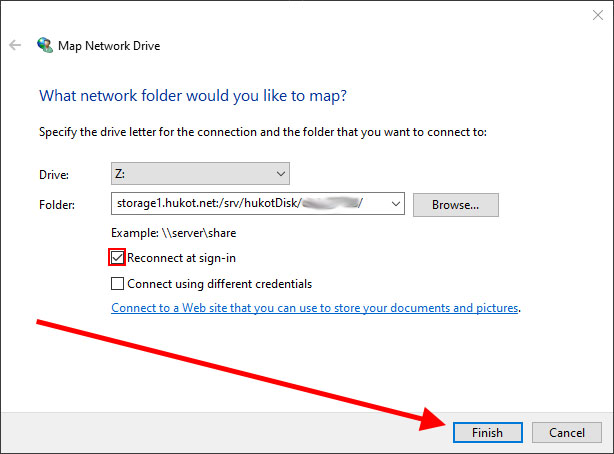
Right click on this computer and select map network drive from the menu.

Select the disk drive name and copy the NFS path you copied to the clipboard into the folder field. Check reconnect after logging in and click finish.
The new Remote Disk has appeared among the other disks on your computer.