Setting up an e-mail box in ISPConfig
Your ISPConfig must have a configured mail server.
In ISPConfig, go to the Email tab.
Adding a Domain
Use the Add new Domain button to add a new domain.
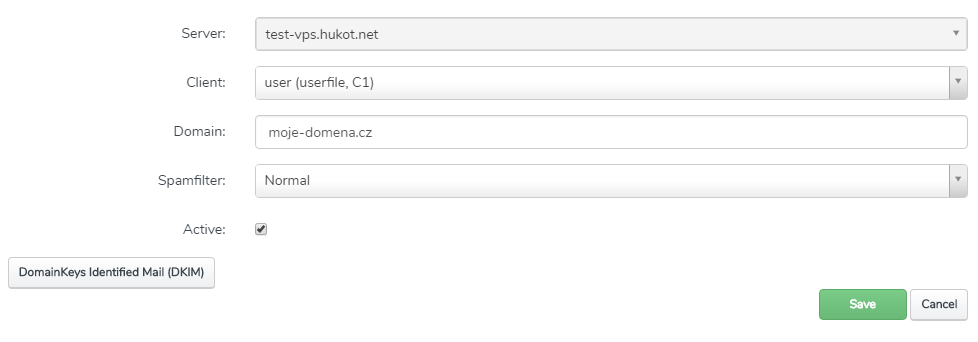
Select the client and enter the domain name, and optionally set up spam filtering.
Confirm with the Save button.
Adding a domain
Creating an Email Mailbox
Go to the Email > Email Mailbox tab.
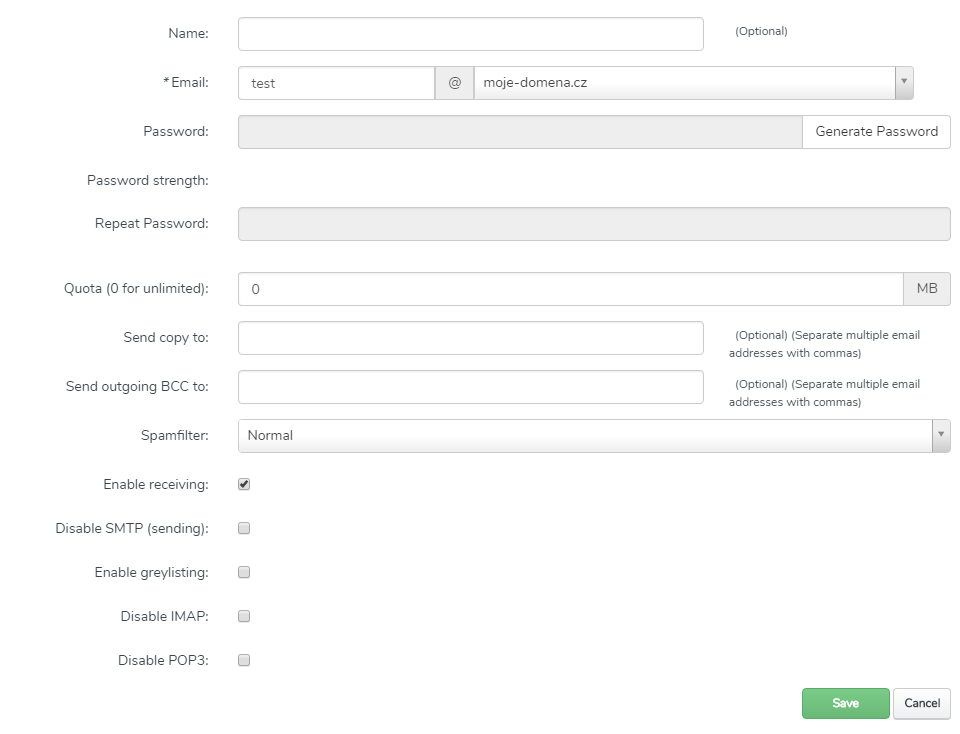
Add a new email mailbox using Add new Mailbox.
Enter the name and password, and optionally, you can set a mailbox quota and email forwarding.
Creating a new email mailbox
You can now connect to the mailbox using an email client.
You can find instructions on how to set up an email mailbox here.