How to add a new mailbox
To create a new email mailbox, you need to log in to the hosting services administration at admin.hukot.net.
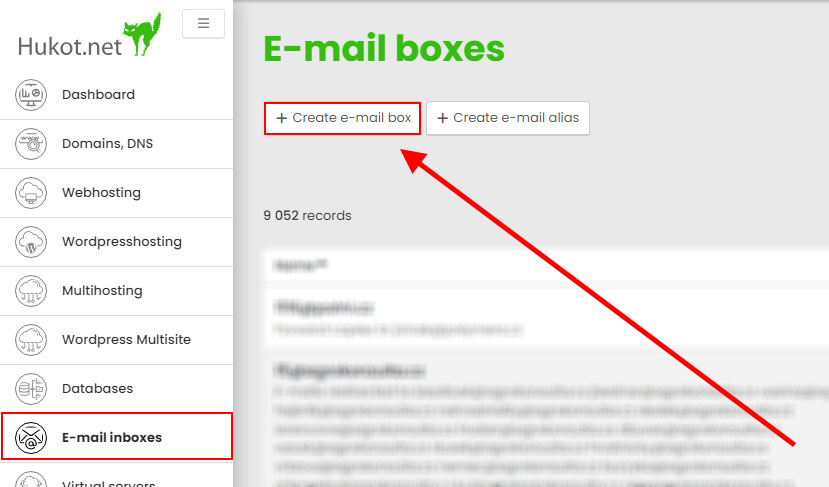
After logging in, select the E-mail inlboxes tab and click the Create e-mail box button.
Fill out the form:
- Mailbox name is the name before @
- Parent domain is the name after @
- You can either generate a password or enter your own
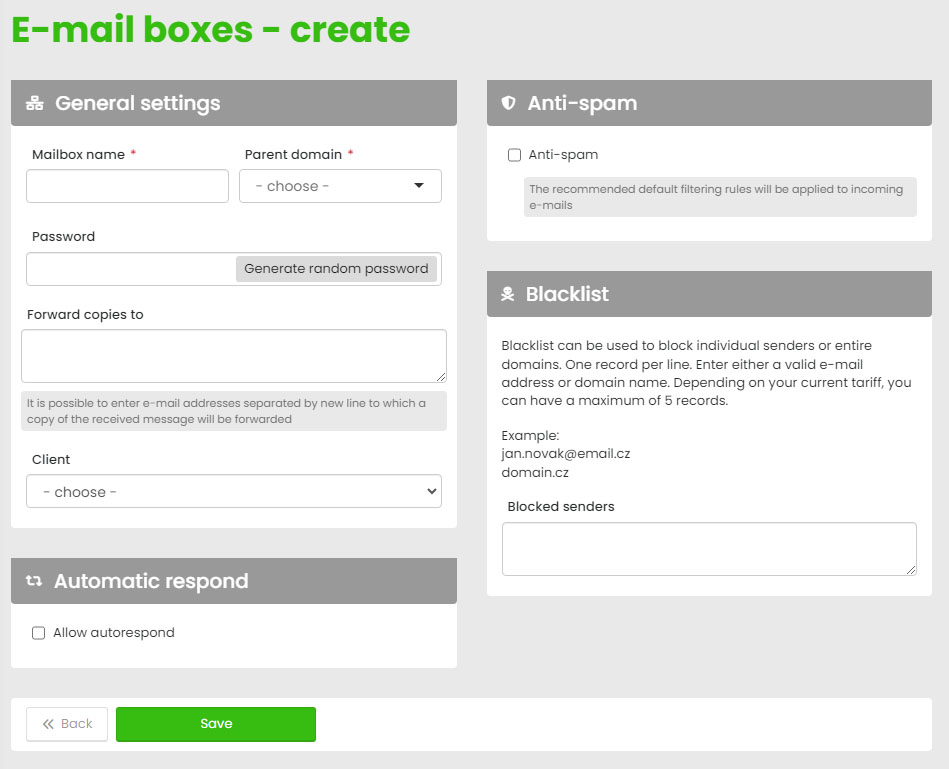
Confirm by clicking the Save button.
Now you can log in to the mailbox via webmail or through an email client, for example, Thunderbird.