Your ISPConfig must have a configured mail server.
In ISPConfig, go to the Email tab.
Adding a Domain #
Use the Add new Domain button to add a new domain.
Select the client and enter the domain name, and optionally set up spam filtering.
Confirm with the Save button.
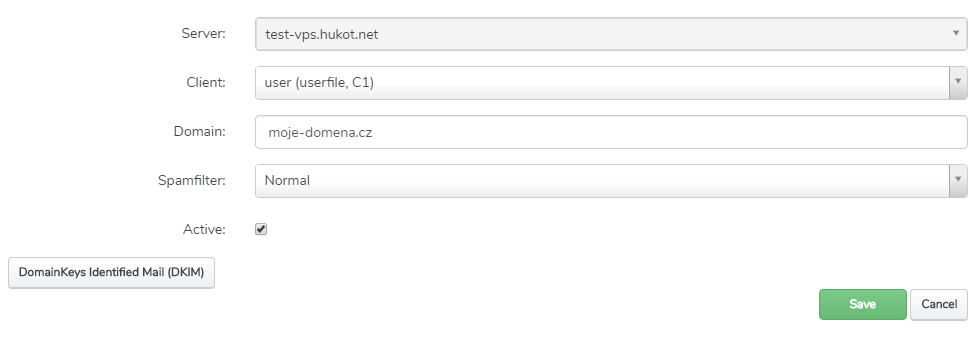
Adding a domain
Creating an Email Mailbox #
Go to the Email > Email Mailbox tab.
Add a new email mailbox using Add new Mailbox.
Enter the name and password, and optionally, you can set a mailbox quota and email forwarding.
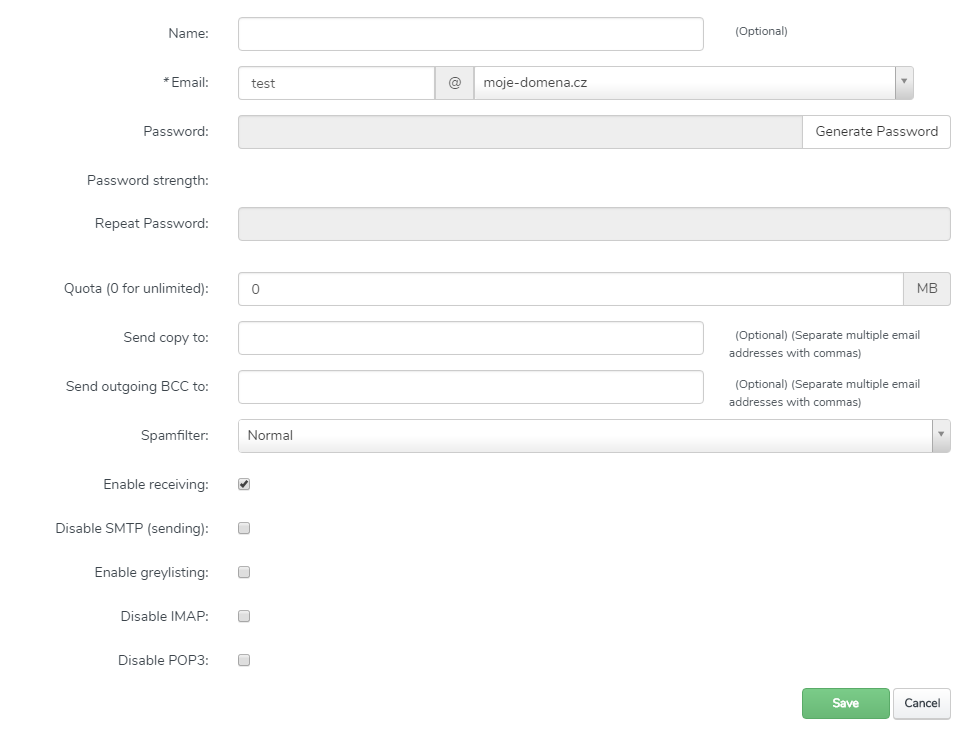
Creating a new email mailbox
You can now connect to the mailbox using an email client.
You can find instructions on how to set up an email mailbox here.